Monk Took Book System Requirements
Desktop GPU required. Deck is Playable. Integrated laptop chips are not a supported shortcut.
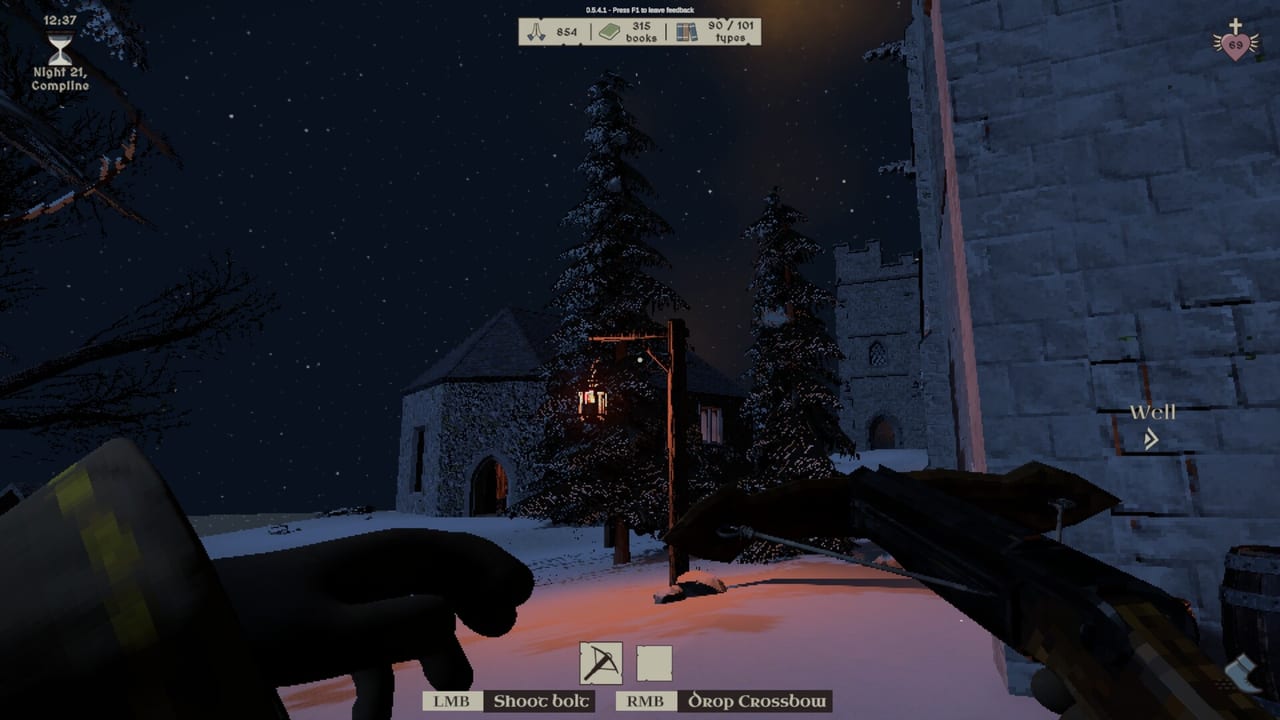
Monk Took Book is a PC Steam game (app 4022090) with a still-live demo (app 4255310). SquarePlay published a short, strict spec sheet: a desktop discrete GPU at the low end, a stronger desktop card at the high end, and an explicit refusal to support integrated graphics or low-spec mobile laptop GPUs. Read this page before you host a four-monk night, before you gift the game to a school Chromebook household, and before you blame a hitch on the Book Thief.
The island is not a light 2D puzzle. You will stack unstable physics books, light torches that spit embers, fill a hall with four characters, and ask the same machine to keep proximity voice and a night clock in step. Minimum is “it runs.” Recommended is “the abbey stays readable when two stacks collapse during a fire.” Steam Deck sits in the middle with a Playable badge, not Verified.
Minimum and recommended (Steam, launch)
| Minimum | Recommended | |
|---|---|---|
| OS | Windows 10 or later | Windows 11 |
| Processor | Intel Core i5 or equivalent | Desktop Intel Core i9 or equivalent |
| Graphics | Desktop Nvidia GTX 1050 4GB or equivalent | Desktop Nvidia 2070 8GB or equivalent |
Steam does not list a RAM or storage line on the public sheet. Do not invent one. If a retailer page added a round number, treat it as unofficial. The GPU row is the one SquarePlay chose to write twice: desktop card, 4GB at minimum, 8GB at recommended, Nvidia examples with an “or equivalent” escape hatch for AMD desktop cards in the same generation band.
“Or equivalent” does not mean a laptop 1050 Max-Q from 2017, and it does not mean an iGPU that shares system memory. The store sentence in parentheses is the real minimum: integrated GPUs and lower-spec mobile laptop GPUs are not supported. If your task manager shows Intel UHD, AMD Radeon Graphics (the APU), or an entry-level laptop chip next to a thin chassis, this is not the abbey for that machine.
Why the integrated warning exists
A monastic library sounds gentle until a torch ember bounces into a folio while four players throw stacks. The game simulates flame and combustion, water from pails, ballistic bolts, and piles of books that are also collision objects. 0.6.3.7 made embers visible and added more book sizes, which is good for play and more work for a GPU. A desktop GTX 1050 4GB was a low-end gaming card in its day; it still has dedicated memory and a cooling profile aimed at a desk, not a seven-watt laptop skin.
If you ignore the warning, typical symptoms are hitching when the barge dumps, hitching when you look across the main hall, hitching when Max Shadows meets several torches, and a host who looks fine in the menu then collapses at the belfry. Guests inherit the host’s world. A strong guest GPU cannot rescue a host who is running on an iGPU. Test in the demo on the same machine that will host the paid app. The demo cannot join a full-game lobby, but it is the correct probe for heat, fans, and frame pacing.
Max Shadows and other launch-week levers
A demo-era hotfix pass called out Max Shadows as the first quality slider to drop when the abbey stutters. Shadows in a hall full of shelves and torchlight are expensive; they are not what makes a cover memorable. Lower Max Shadows, then gamma if the crypt goes milky, then extra fire sources you do not need. Disable extra beasts on a weak host only after the GPU class is already legal. The loading-screen hotfix that disabled beasts while loading was about a skeleton appearing during a hitch, not about making iGPUs supported.
Other launch-week levers that are hardware-adjacent live in settings:
- Window versus fullscreen (borderless can be kinder on mixed-refresh setups)
- Widescreen and 16:10 HUD (0.5.5.3 stopped elements falling off 16:10 panels)
- FoV (higher FoV draws more hall)
- Headbob and camera shake (comfort first, tiny GPU last)
- Enemy, pest, and fire counts (fewer lights and ragdolls)
- Book rate (fewer physics bodies on the dock)
None of those sliders cancel the desktop 1050 line. They are how a supported machine stays pleasant.
Steam Deck: Playable, not a promise
Steam lists Deck Compatibility as Playable. SquarePlay spent 0.6.3.7 on Deck-facing input: full controller and d-pad menu navigation, a virtual cursor on the left stick, a controls HUD that updates when you rebind during play, and an auto-run toggle so you are not holding a click the whole barge. That is why a Deck session is plausible. Playable still means you may need layout tweaks, a desktop-confirm for some prompts, or lower shadows in the crowded hall.
Docked Deck to a large 16:10 or ultrawide panel should use the same HUD lessons as PC. Verify in controls that invert Y is not double-toggled — 0.6.3.7 fixed that exact option bug. If you host from Deck, tell guests. A handheld host plus three desktop clients is a tougher night than four desks.
Partial controller support remains the store tag. That tag is about certification language, not about the d-pad work. You can finish a night without a mouse. You may still want a keyboard for chat. Text chat formatting was updated in the same patch; it is not a substitute for proximity voice in a four-player 55% clock. See co-op.
Cloud, OS, and the rest of the sheet
Steam Cloud is enabled. That does not make a crashing iGPU safe; it means a supported PC can pick up a save. Manual and autosave both exist in-game — use manual before you ring the belfry on a machine that already hiccups.
OS minimum is Windows 10 or later; recommended is Windows 11. There is no official Mac or Linux line. Proton experiments are unofficial. This wiki will not publish a Proton how-to as if it were SquarePlay’s spec.
English is the shipped interface and full audio language. That has no GPU cost. 52 achievements have no GPU cost. The introductory 10% off until 17 September 2026 has no GPU cost. Buy after you pass this page, not before. Launch news covers the date and the trailer; this page covers whether the abbey will move.
How to test in twenty minutes
- Install the demo on the host PC.
- Set Max Shadows low, fullscreen, default FoV.
- Complete one daylight barge into the hall and look across the tapestry wall.
- Light two torches, start a small fire you then douse, and watch ember spray.
- Ring the belfry and run two minutes of night with at least one enemy type enabled.
- If that is smooth, raise shadows one step. If it is not, stop; the machine is below spec.
- Only then buy 4022090 and invite brethren.
Pair this test with getting started so you are not learning verbs during a benchmark. If combat is the hitch, combat tells you what is on-screen; this page tells you whether the card can draw it. Patch notes explain why loading no longer spawns beasts and why shelves exist before books. Official links are where you go if you believe a supported desktop 1050 still fails — F1 first, then hello [at] squareplaygames.com.
If the loading beast still stutters after Max Shadows is down, the GPU warning is not flavour text. This build wants a desktop 1050-class card, and the barge will not negotiate.
Frequently Asked Questions
Quick answers for novices tending the Holy Island library.
What is the true minimum GPU?
A desktop Nvidia GTX 1050 4GB or equivalent discrete card. Integrated GPUs and low-spec mobile laptop GPUs are not supported.
Does Monk Took Book run on Steam Deck?
Steam lists Deck as Playable. 0.6.3.7 added d-pad menus and auto-run. It is not Verified. Lower Max Shadows if the hall hitchs.
Is there a RAM requirement?
Steam's public sheet lists OS, CPU, and GPU only. Do not trust a third-party RAM number as official.
Can I host from a laptop?
Only if that laptop has a supported desktop-class discrete GPU and cooling to match. An iGPU host will hitch for the whole lobby.
What should I turn down first?
Max Shadows, then extra torches and fire density, then FoV. Full slider list: settings.
Does the demo use the same specs?
Yes enough to be the right probe. Test the demo on the host machine, then buy. Demo lobbies still cannot join the paid app.