Monk Took Book Tools Hub
Specs, comfort options, and mnemonic strategy — not live calculators.
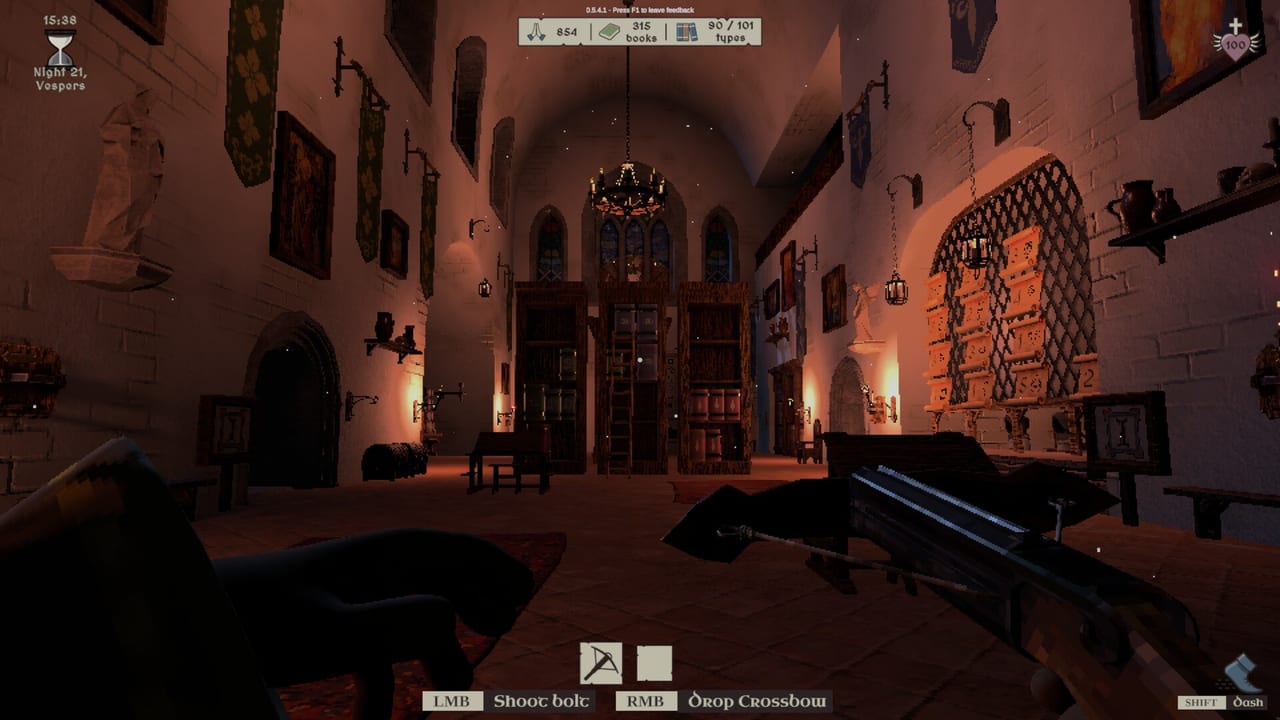
The tools on this wiki are pages you read before a night, not widgets that talk to your save. Monk Took Book does not export a public API for shelf layouts, and we will not fake one. What we can do is tell you whether your PC is in the supported band, which sliders turn a haunted abbey into a quiet archive, and how to build a memory system that survives a Book Thief. If you want systems and story, start at guides. If you want numbered builds, start at updates. If you want hardware, options, and mnemonics, stay here.
Four subpages sit under this hub:
- System requirements — Steam minimum and recommended tables, the desktop-GPU warning, Deck Playable notes, Max Shadows.
- Settings and accessibility — enemies, pests, fires, book rate, arachnophobia, cameras, rebinds, F1, mics.
- Memory planner — cover-symbol mnemonics, the hall tapestry, paper notes, co-op callouts.
- Steam Deck and controller — Playable Deck notes, d-pad menus, auto-run, hosting caveats.
None of them will click a Blessing for you. They exist so the first barge of a paid save is not also your first time reading a GPU footnote.
Start with the machine, not the barge
Monk Took Book is a physics-heavy first-person job with fire, stacks, and up to four monks in one abbey. SquarePlay’s store line is blunt: integrated GPUs and lower-spec mobile laptop GPUs are not supported. Minimum is Windows 10 or later, an Intel Core i5 or equivalent, and a desktop Nvidia GTX 1050 4GB or equivalent. Recommended is Windows 11, a desktop Intel Core i9 or equivalent, and a desktop Nvidia 2070 8GB or equivalent. Steam Deck is Playable, not Verified. Steam Cloud is on. Controller support is still labelled partial even after 0.6.3.7 taught the menus a d-pad.
If you host, you are the abbey. A guest on a 1050-class desktop can be fine while a host on a thin laptop turns torch embers into a slideshow. Read system requirements before you send a lobby code from co-op. If the hitch is shadows and not the GPU class, drop Max Shadows; that tip came out of the same hotfix era that pulled beasts off the loading screen.
The demo (app 4255310) is a fair hardware probe because it uses the same island grammar. It cannot join a paid lobby, so probe before you schedule a four-player night on 4022090. Details live on demo versus full game.
Then set the abbey to the night you want
SquarePlay shipped granular difficulty on purpose. You can disable, reduce, or increase enemies, pests, and fires independently. You can slow the book rate for a chill cataloguing shift. You can turn on arachnophobia mode so spiders become text, not models. You can flatten headbob, widen FoV, lift gamma, scale camera shake, invert Y, rebind every key, toggle auto-run, show monk names, and set mic levels. F1 remains the in-game feedback key that fed the 0.5.x hotfixes.
That is not cheating. The store page invites a chilled experience. The memory test is the game; the skeleton is optional. Configure it on settings after you understand the loop in how to play. If you came from the March demo, look specifically for arachnophobia, Perfect Parry-related comfort (camera shake), and the auto-run toggle added for Deck thumbs.
Combat players should still open combat and weapon ranks after they pick a difficulty. Turning enemies off does not turn thieves’ footprints into a tutorial for organisation; you still need a shelf language.
Finally, plan the thing the sliders cannot do
No option remembers a cover for you. The memory planner is a strategy page: mnemonic families, memory palaces mapped onto the monastery map, how to use the great tapestry at the back of the main hall, what to write on paper, and how to call covers in voice without reciting a novel. Pair it with how to organize. If you play four-wide, remember that 0.6.3.7 set four-player time at 55% of solo — callouts have to be short. Solo versus co-op explains the role split; the planner explains the words those roles should use.
Blessings and perk order are adjacent tools in spirit, but they live with the monks: players, blessings, perk ranks. Spend after you know whether you are a runner or a librarian for the night.
How this hub relates to the rest of the wiki
- New owners: getting started then this hub’s requirements page.
- Launch week: launch news for price and achievements (52, Steam Cloud), then settings.
- Patch curiosity: patch notes for why a slider or a parry exists.
- Navigation: controls for the rebind HUD that updates during play.
- Opinion: review after you have changed one slider and run one honest night.
- Studio doors: official links and the links hub.
We will not add a fake “ember calculator” or a live tapestry clone. If SquarePlay ships an in-game planner beyond the tapestry you already have, we will describe it here. Until then, paper, voice, and a shelf rule beat a spreadsheet you cannot see in the dark.
These pages will not fetch your save. Change a slider or a shelf plan before the next delivery barge arrives, and let the abbey be the only machine that has to remember where the lightning bolt lives.
Frequently Asked Questions
Quick answers for novices tending the Holy Island library.
Are these interactive tools?
No. They are strategy and spec pages. The memory planner teaches mnemonics; it does not store your covers.
What should I read first?
Confirm system requirements, set settings, then use the memory planner with how to organize.
Can I play without combat?
Yes. Disable or reduce enemies, pests, and fires in settings. The checkout still tests memory.
Does Steam Deck work?
Steam lists Deck as Playable. 0.6.3.7 added d-pad menus and auto-run. It is not Verified. See Steam Deck and controller.
Where do I send a settings bug?
Press F1 in game, or use the address on official links. This wiki does not file tickets.