Monk Took Book Links Hub
Studio doors on one side, wiki hubs on the other. This site is unofficial.
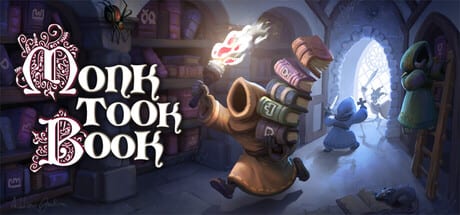
This hub is a door rack. One wall goes to SquarePlay Games: the Steam store, the still-live demo, the studio site, Discord, X, and support. The other wall goes back into this unofficial wiki: guides, updates, tools, monks, and ranks. We keep them on the same page because launch week always produces the same mix-up — someone pastes a wiki path into Discord and calls it a patch, or pastes a Discord invite into a guide and calls it a lobby code.
This wiki is not SquarePlay. Alastair and Sarah ship the abbey. We recap it. If a number on patch notes disagrees with a Steam news post, the Steam post wins. If a mnemonic on the memory planner disagrees with the tapestry in your hall, the tapestry wins. Bookmark official links for the studio list in isolation; stay here when you want that list plus the wiki map.
Official doors (external)
Use full https links. Do not download “monk scripts,” key resellers, or random executables that promise Blessings.
- Paid game (Steam app 4022090): Monk Took Book on Steam — launched 3 September 2026, introductory 10% off until 17 September 2026, 52 achievements, Steam Cloud, Deck Playable, Positive at launch.
- Demo (Steam app 4255310): Monk Took Book Demo — live since 6 March 2026, updated for Next Fest, still live after release, cannot join paid lobbies.
- Studio site: squareplaygames.com/monk-took-book
- Discord: discord.gg/squareplaygames
- X: x.com/SquarePlayGames
- Support: hello [at] squareplaygames.com — write it out, do not harvest it from a screenshot on a wiki.
In game, F1 is still the feedback key SquarePlay asked for during 0.5.x. Discord is conversation. Steam news is numbered law. X is the short horn. The site is the quiet sign over the door.
If you only came here to buy, stop after the Steam link, then confirm a desktop GPU on system requirements. If you only came here to try, take the demo link and read demo versus full game so you do not waste a night on a code that will never attach to 4022090.
Wiki doors (internal)
These paths use trailing slashes and stay on this site:
- Guides hub — onboarding, loop, organisation, combat, map, review.
- Getting started — first hour after you own the abbey.
- How to play — day barge, night checkout, bell.
- How to organize — shelf language.
- Controls — rebinds, camera, Deck habits.
- Walkthrough — a night-by-night path.
- Combat — parry, thieves, embers, pests.
- Co-op — roles, voice, the 55% clock.
- Monastery map — rooms you will name in callouts.
- Review — structured opinion after a real night.
- Updates hub — snapshot of launch, demo, notes.
- Launch news — 3 September recap and trailer context.
- Patch notes — 0.6.3.7 and 0.5.x, grouped.
- Demo vs full — five or six nights, two App IDs.
- Tools hub — specs, sliders, mnemonics.
- System requirements — desktop 1050 minimum, no iGPU.
- Settings — arachnophobia, F1, mics.
- Memory planner — tapestry and paper.
- Players hub — monks as a roster of jobs.
- Blessings — how the Abbot pays, how you spend.
- Solo vs co-op — clock and roles.
- Tier list hub — ranks with criteria.
- Perk ranks — crypt shrines.
- Weapon ranks — dagger, crossbow, cross, torch habits.
If a path 404s, the page is not finished, not hidden DLC. Do not invent a slug with underscores. Do not prefix /fr/ in source — the generator localises.
How to use both walls without mixing them
A good launch-week loop:
- Steam store or demo (external).
- System requirements and settings (wiki).
- One night, then getting started if you bounced.
- Steam news or Discord if something broke (external), F1 in game.
- Patch notes only after you have a build number to match.
- Review only after you have a night of your own, not after a trailer.
A bad loop is a key shop, a “free full game” mirror, or a third-party trainer. Monk Took Book is a small paid Steam title from a two-person studio. If a site offers it outside Steam, leave.
What we will not list
No unofficial multiplayer discords we do not moderate. No clip channels with invented video IDs. No merchandise we cannot verify. No other SquarePlay games unless you need the studio name: they made Overcrowd and Space Trash Scavenger; those pages are not this wiki. No Roblox ports — this is a PC Steam game. No claim that hello [at] squareplaygames.com will answer wiki errors; that address is for the game.
When SquarePlay adds a link, it will appear first on official links. This hub will point at it. We will not bury a new store SKU inside a guide paragraph and call it a secret.
If a third-party key shop or a “free monk script” appears in search, ignore it. The only safe doors are Steam, Discord, and the SquarePlay site; everything else is a side door into someone else’s rain.
Frequently Asked Questions
Quick answers for novices tending the Holy Island library.
Is this wiki official?
No. SquarePlay Games makes Monk Took Book. This fan wiki recaps it. Studio URLs are collected on official links.
Where do I buy the game?
The Steam store for app 4022090: https://store.steampowered.com/app/4022090/Monk_Took_Book/ . Confirm specs on system requirements first.
Where is the demo?
https://store.steampowered.com/app/4255310/Monk_Took_Book_Demo/ — still live, cannot join paid lobbies. Read demo versus full game.
Where is SquarePlay Discord?
https://discord.gg/squareplaygames — community and playtest talk. File bugs with F1 in game when you can.
What wiki page should I open after this hub?
New players: getting started. Returning demo players: patch notes then launch news.